Showing posts with label Craft Place. Show all posts

Wednesday, February 4, 2015

Girl Scout Cookies


One of the 2-page SVG Kit Club. I don't have any Girl Scouts but this page was too cute not to do it. I found that the blond girl can become a boy if you leave off the back hair and trim the black or dark brown layer to remove pigtails. The cookies look good enough to eat.

Tuesday, February 3, 2015

Lego Fun

Love this file, I know I will use this one many times. Lego Fun I used the file pretty much as is except for color. I did add an extra black offset on the title to set it off from the page. I use scotch foam squares on the blocks so I could still get my pictures behind the blocks. Hope you try this one for all those Lego pictures you have.

Sunday, February 1, 2015

One of the Family

The base paper I used was from StudioCalico.com the Classic Calico collection, get it calico for cat. Well I do not have a cat but I did need a layout for this post so I choose one of the 2-page layout from the ppbndesigns members svg files. Love that I get 30 layouts in a month, yes not all of them work for my pictures but I scrap for all my family so they will all get uses. I changed the colors around on this one because my daughter wanted a orange kitty. Other than pop dots and some ribbon the rest was from the file. One of the Family-Cat

Monday, January 26, 2015

Fun in the Sun


Ready for Summer with Fun in the Sun another one of the files for the 2 page svg kit club here over at ppbndesigns.com.

Friday, January 23, 2015

Wild About You

Brand new layout fromppbndesigns.com. Love the monkeys on this one. This is also one of the layouts from the new 2 page svg kit club.

Thursday, January 22, 2015

Summer Sweetness


I am enjoying cutting all the files in the 2 page svg kit club. It is cold here in Colorado right now but I can dream of watermelon and sunshine. Summer Sweetness.

Sunday, January 18, 2015

Do You Wanna Build a Snowman?


Such a cute file Do You Wanna Build a Snowman? It is one of the 2 page layout file for this month with the SVG Scrapbook Membeship. I used different colors and really like how it came out. These files can be cut on all the machines that cut svgs. I love how easy they are to put together and still have a great page.

Sunday, January 11, 2015

Quick Beary Special Valentine


 Just a quick print and cut valentine. I made a offset around the bear after I traced it in Design Studio. I then mirrored it up and moved it so that the ears toughed just a little and then welded both together. the phrase inside was traced, printed and cut. Only took a few minutes to finish. This could of also been done as a pieced project. File used was Beary Special Valentine.

Friday, January 9, 2015

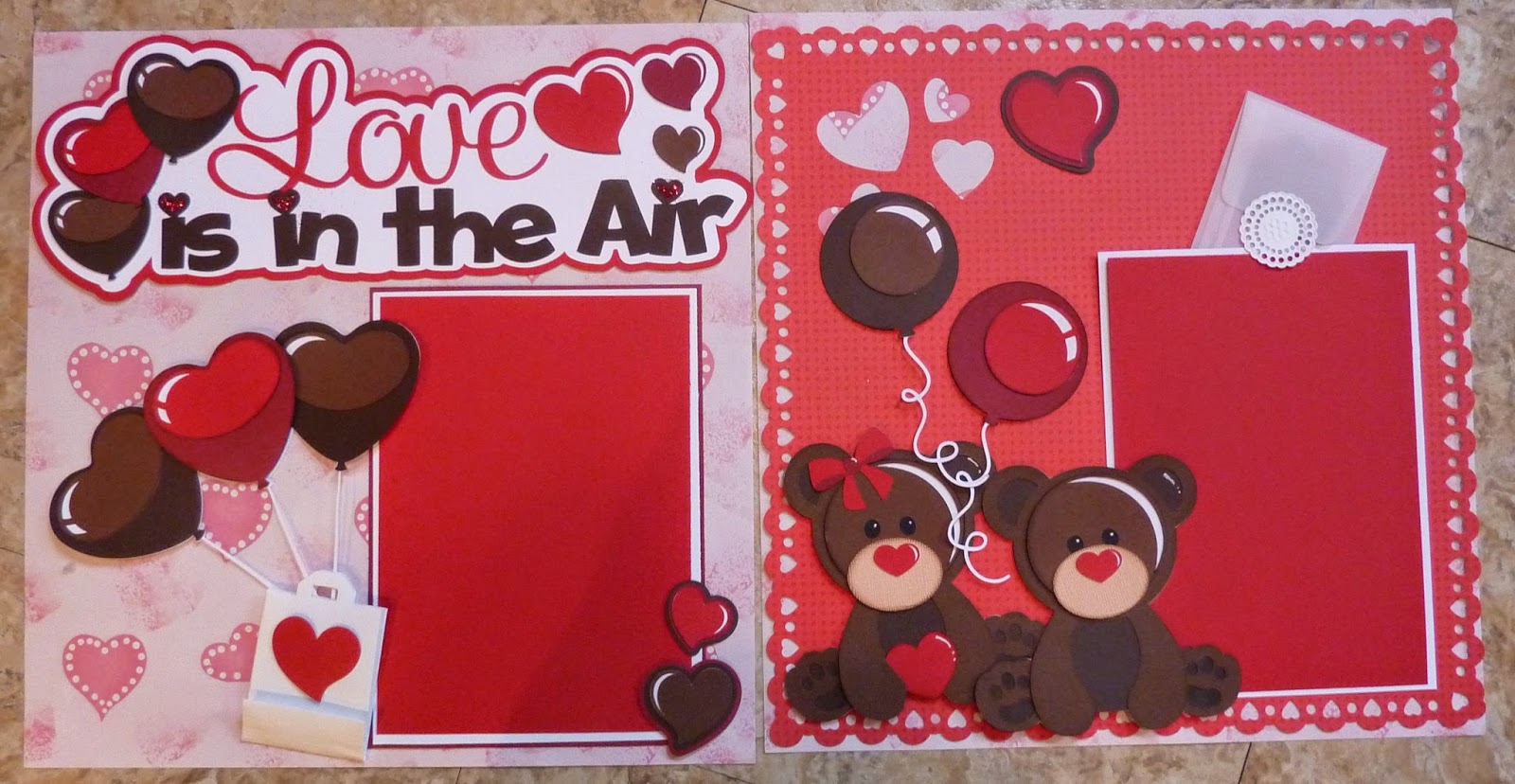
Love is in the Air


Used the file pretty much as it was. I added 5x8 mats instead of the smaller one. The gift bag and the envelope in the right corner were in my stash. File is Love is in the Air. Hope you enjoy.

Monday, January 5, 2015

Valentine Vintage Polaroid revo lip balm holder


I left the bottom part of the camera not glued and added the rectangle piece to stamp my sentiment.
Hope everyone had a great Christmas season. I have been under the weather but I am feeling better now. I have seen a lot of these holders on FB so I decided to give one a try. Any file that you can make a circle hole will work. This is the Valentine Vintage Polaroid file that I just resized the middle hole and made the hole go all the way through all layers. The lip balm is from the Dollar Tree store.
 I got rid of some of the layers and I decided not to use the middle white layer in this picture.

 The hole I needed for the lip balm was 1.1. I chose the hole on the second layer to make this size. I felt that there was too many layers for the lip balm to go through so I made all the rest of the layers a larger hole 1.374. To get the hole in the same spot on each layer I copied the larger hole 4 times and placed the layers on top of each other where they belonged, added the circle and grouped the two pieces, added the next circle and moved the grouped layer out of the way. Repeated this until each had a hole.

Friday, December 26, 2014

Oh So Cozy

Oh So Cozy this is a layout I did last winter but since I am out having fun with my family I and using it.     I love how this came out so fun. These page kits make putting layouts together easy, you can set them up just like the directions or you can just use the elements. Hope everyone is safe and warm.

Monday, December 22, 2014

Baking Up Christmas


From The Silhouette Store

Design ID #50871
10/30/2013


This layout is from last year but I thought it was a good one to bring back for the season. Merry Christmas everyone.

Friday, December 19, 2014

Believe Christmas Layout


Merry Christmas Everyone, Happy Holidays and Happy New Year!

File is from the Silhouette Store Believe by PPbNDesigns.com. The paper used is from Echo Park I had left over from the Merry Christmas line. I added some pearls on the Believe for something extra and inked my edges with Powder Puff chalking ink from Quick Quotes. Pretty simple and a very fast layout. Hope everyones holidays are happy and safe!

Thursday, December 18, 2014

Hey Diddle Diddle layout


 Love how this layout came out. I used both the Cricut Explore and the Silhouette Cameo on this, yes they do play well together. Both machines have their place and I have found both machines have good features and things that can be improved upon.  The Once upon a time title was cut with the Explore, the cutting was fantastic the only problem I found was I can't change the colors of the layers so I used my copics to change some of the colors in it. The cow is from Too Cute By Jessica because Nikki doesn't have a cow for the set yet and I was impatient. I made the photo frames by combining two rectangle shapes. The rest of the Hey Diddle Diddle pieces are from PPbNDesigns links to follow Hey Diddle Moon (cut on Cameo), Hey diddle dish and spoon (Explore), Hey diddle fiddle (Explore) and a Peachy Keen stamped face, Hey diddle cat (Explore) and all the other shapes were cut with the Cameo with shapes from the Silhouette store. I wrote the poem in the white space because I just couldn't leave it white. The little disks are perler beads melted and stuck on with Glossy accents.


Place Perler bead on baking sheet with either a silicon mat or parchment paper standing up. Oven preheated to 400 degrees. Bake for 12 minutes turn off oven and allow beads to cool in oven.
This is the pack I used
I found that the different types and colors melt differently. The pearlized ones in this pack took two times in the oven to close up and still looked funny. The stripped ones are so cute with the two colors. Try this just for fun if you have some Perler beads around. They do stink while cooking so beware.

Friday, December 12, 2014

Santa Owl Card


This is a card I made to send out. I printed the png. file and then sized the two green svg. file pieces to fit on my base to give it some depth. I added ultra fine Flower soft to the brim and ball of hat. Before I cut the base I offset the image because I wanted the white layer. To make it a card I cut this layer twice and placed a fold line on the back image. Simple card but came out cute. File I used was Santa Owl.

Sunday, December 7, 2014

O Christmas Tree


The files I use are car with Christmas tree, O Christmas Tree, North Pole Sign, and Colorful Christmas Tree. The paper I used was from BoBunny the Candy Cane Lane collection. This is two sided so I had plenty of choices. I choose to cut my paper in half and put back together from 1/2 of another sheet. I then choose a paper for the borders, The photo corners are from the Silhouette store. The 2014 is the Candy Cane font from the Silhouette store. Hope you are have a Blessed Christmas season. I bought the paper in OKC, OK  at a cute shop called Paper Crown her web site is www.papercrown.net.

Monday, December 1, 2014

Birthday Bash


Birthday Bash file at ppbndesigns.com or 
Design ID #48471
9/12/2013 at the Silhouette Store

I know most people are doing Christmas layouts but my daughter was born Dec. 24th so I need a birthday layout for her. I used her favorite colors and had some fun with this layout. Picture doesn't show the glitter. Hope everyone enjoys this layout, I had fun making it.

Friday, November 21, 2014

Thanksgiving Table with PPbN file


My table for Thanksgiving

I am not going to be home for Thanksgiving so I did a pretend table for you all to see. Thanksgiving Turkey is the file I used for all my decorations. The napkin rings and the placecards are print n' cut. The centerpiece turkey is pieced. The wreath around the turkey is from the Silhouette Store 
Design ID #69551
11/10/2014 
 The place card is a rectangle cut 4 x 31/2 inches and folded in half with a topnote shape as accent. The turkeys are all about 2 1/4 inches on all the pieces. I put all 8 turkeys on one mat sized added the white offset, printed and then cut.

Monday, November 17, 2014

Happy Turkey Day!


I am the guest designer for Die Cuttin' Divas this week and the challenge is Thanksgiving.
 Design ID #51289  in the Silhouette Store, or look under designer PPbN and you can find it plus a lot of other cute designs. The paper I used is Flourish Fusion by the Paper Studio. I cut two papers in half and cut the third paper into thirds using it to glue the other two paper together for a 12 x 12 paper again. The doily cut under the turkey is a Silhouette store file that I stretched oblong to fit my turkey. The tag in the upper right hand corner is hand cut a hole punched and ribbon added.

I hope everyone has a fantastic Thanksgiving and a Blessed day with family. Thank you for coming to my blog.

Monday, November 10, 2014

and they lived.... Happily Ever After


Sleeping Beauty Exclusive file.
The paper is Fairytale Castle Right #36440 from www.scrapbookcustoms.com. When I saw this paper I knew I had to have it and I love this layout. That could be because my son, my daughter in law and my three grandkids are on the layout but I do love how it all came together. The frames are from the Silhouette store and the file is a PPbN Exclusive file for members only. A great reason to join.http://www.ppbndesigns.com/memberships/. Hope you love the page as much as I enjoyed making  it for one of the kids scrapbooks.